CruiseSignal on the web
Your cruise price can drop after you book, and the cruise line will not tell you. CruiseSignal runs in your browser on a PC, a Mac, a Chromebook or an Android phone, and emails you when your fare drops.
Everything the iPhone app does, in a browser.
Add your booking, and we check the cruise line's public price for your exact ship, sail date and cabin category around the clock. When it drops, you get the amount, the policy that applies and how long you have to claim it.
- Windows, Mac, Chromebook and Android
- Price drop alerts by email
- One account with the iPhone app
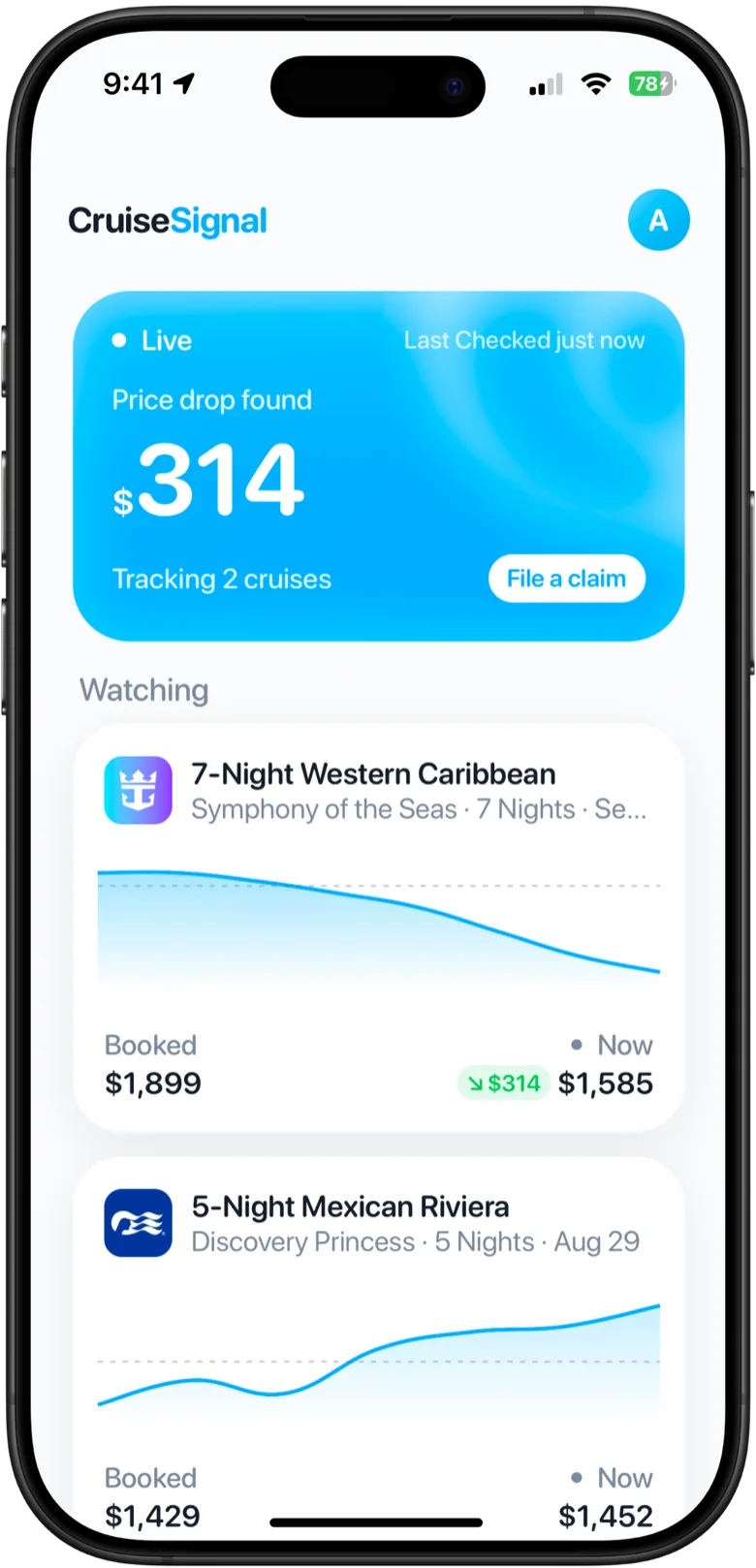
From booking to money back
Three steps, the same as on iPhone.
- 01Add your booking Upload your confirmation or enter the ship, sail date, cabin and what you paid.
- 02We watch the fare We compare the cruise line's own price for your exact cabin against what you paid, around the clock.
- 03You claim the drop We email you the amount and the deadline, and show you how to claim it with your cruise line.
One account, iPhone and web
Sign in with the same email on the web and on iPhone and your bookings, alerts and subscription follow you. On an Android phone? See CruiseSignal for Android to put the web app on your home screen.
Questions
Yes. The CruiseSignal web app runs in any modern browser on a Windows PC, a Mac or a Chromebook, at app.cruisesignal.app. It tracks your booking exactly like the iPhone app.
No. The web app does the whole job on its own: add your booking, we watch the fare, and you hear from us when it drops. If you have an iPhone as well, sign in there with the same email and your bookings follow you.
By email. When the fare on your booking drops below what you paid, we email you the amount and how long you have to claim it, with a link straight to the claim steps.
It is free to start. Adding a booking and seeing what its fare has been doing costs nothing. Continuous tracking is a subscription, on the web or on iPhone, and one subscription covers both.
Yes. Upload a screenshot or the PDF of your booking confirmation and we fill in the ship, sail date, cabin and price for you to check. You can also enter everything by hand.
Also worth reading
Your cruise is booked.
Your price isn’t.
Add your cruise in a minute, right in your browser. We will watch it from there.